Intermezzo Google Slides: A Versatile Presentation Toolkit
You've spent hours perfecting your pitch deck, workshop slides, or client proposal, only to realize the default templates feel generic. The colors clash, the layouts are predictable, and the overall design doesn't match the quality of your ideas. This is where a cohesive, professional template system can transform your workflow. The Intermezzo Google Slide Template offers a solution that goes beyond a single set of slides, providing a flexible toolkit for anyone who needs to communicate visually with impact and consistency.
Beyond a Single Template: A System for Visual Consistency
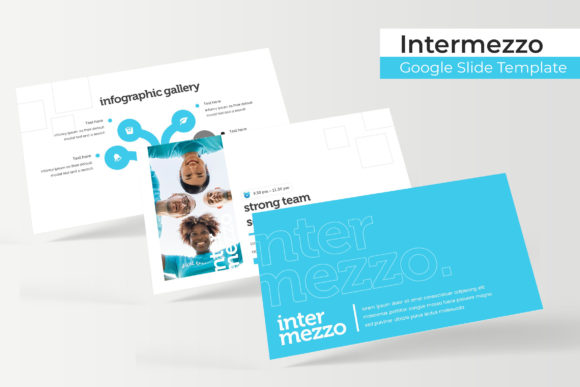
What sets the Intermezzo package apart is its structure as a complete design system. Instead of one static file, you receive 150+ total slides organized across 5 premade color schemes. Each color variation contains 30 meticulously crafted slides, giving you immediate thematic options. This approach is invaluable for maintaining brand recognition. Whether you're presenting to different clients, creating materials for various product lines, or simply want a fresh look for internal meetings, having multiple color palettes ready to deploy ensures your visual identity remains strong and adaptable without starting from scratch each time.
The foundation of this system is its Master Slides. Every element, from text boxes to graphic placeholders, is built on this reliable framework. This means changes are efficient and uniform. Need to adjust a font or shift a color accent? Edit the master, and the update propagates throughout your entire presentation. For small business owners and marketing professionals managing multiple projects, this saves countless hours and prevents the visual drift that often happens with piecemeal designs.
Designed for Real-World Creative Applications
The true value of any design asset lies in its practical use. The Intermezzo template's clean, modern aesthetic makes it a versatile player across numerous contexts. Its handcrafted infographics and section break slides are particularly useful for educators and consultants breaking down complex information. The gallery and portfolio slides provide a polished frame for photographers, artists, and agencies to showcase work without distraction.
Consider how this translates into daily tasks:
- Brand Presentations: Use the consistent slide structures to present brand guidelines, mood boards, and strategy decks that look intentional and authoritative.
- Marketing Reports: The resizable and editable graphics allow you to easily incorporate charts, graphs, and campaign metrics, making data digestible and visually engaging.
- Social Media Content: Export individual slides as high-quality images for Instagram carousels, Pinterest infographics, or LinkedIn posts, ensuring your social graphics align perfectly with your presentation materials.
- Product Launches & Packaging: The template's pixel-perfect illustrations and picture placeholders (with simple drag & drop functionality) make it straightforward to mock up product shots, packaging concepts, or promotional materials for stakeholder approval.
- Workshops & Courses: Structure your educational content with clear section breaks, interactive elements, and professional summaries that enhance learning and retention.
The inclusion of 5 PPTX widescreen files ensures compatibility with standard presentation software, while the Google Slides-native design means seamless collaboration for teams who rely on cloud-based workflows. The readme first file and included free font download link remove technical barriers, letting you focus on content rather than setup.
Practical Considerations for Seamless Integration
Adopting a new template system should simplify your process, not complicate it. A key strength of the Intermezzo template is its emphasis on ease of use. The picture placeholders are designed for intuitive content insertion, allowing you to focus on your message rather than fiddling with alignment. The resizable graphics mean you can adapt elements to fit your specific content without losing quality or proportion.
When integrating this into your workflow, keep these points in mind:
- Test Color Variations: Don't just pick your favorite color. Consider which palette best suits your content's tone—warm colors for energetic topics, cool blues for trust and professionalism, or neutral tones for minimalist elegance.
- Leverage the Infographics: Use the pre-built infographic layouts to visually represent processes, timelines, or comparisons. They are crafted for clarity and can make your data far more compelling than bullet points alone.
- Maintain Font Harmony: While the template includes font guidance, if you substitute fonts, ensure they pair well with the template's clean lines. A modern sans-serif for body text often complements the design, while a display font can be used sparingly for titles if it aligns with your brand.
- Commercial Use: Always verify the licensing for any included fonts, even when provided. For the template itself, review the terms to ensure it covers your intended use, whether for client work, commercial projects, or personal use.
This toolkit is not just for designers. Entrepreneurs can use it to craft investor decks that exude professionalism. Bloggers can create cohesive visual narratives for their content. Teachers can develop engaging educational materials. The common thread is the need to communicate ideas clearly and memorably through a polished visual medium.
Elevating Your Communication with Structured Design
In a landscape saturated with information, how you present your ideas is as critical as the ideas themselves. A disjointed, cluttered presentation can undermine even the most brilliant concept. The Intermezzo Google Slide Template provides the scaffolding for clear, structured, and visually appealing communication. Its variety of slide types—from section breaks that give your audience a mental pause, to gallery layouts that command attention—guide the viewer through your narrative logically.
Ultimately, the goal is to let your content shine. By handling the design heavy lifting, this template frees up your mental energy to focus on storytelling, data, and connection. It’s a practical tool for anyone who believes that good design is good business, offering a blend of aesthetic appeal and functional depth that supports real-world creative and professional endeavors. Whether you're building a brand identity from the ground up or refining your existing materials, having a reliable, adaptable presentation system is a strategic advantage worth investing in.