Uscora: Crafting Polished Presentations with a Cohesive Template
Building a professional slide deck from scratch is a common time sink for many professionals. You start with a blank canvas, spend hours aligning text boxes, choosing colors, and searching for icons that match your brand's aesthetic. The result is often inconsistent and lacks the visual polish needed to truly impress an audience or convey a message with authority. This is where a comprehensive and well-structured template system becomes invaluable, transforming the presentation creation process from a chore into a streamlined, creative endeavor.
A Foundation for Visual Consistency
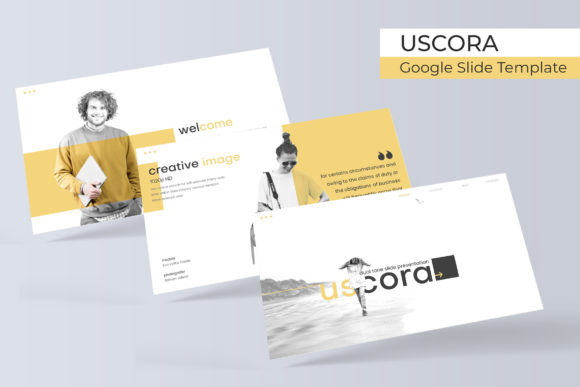
The Uscora Google Slide Template is designed to address this core challenge. It provides a robust framework of 150+ total slides, meticulously organized into five distinct premade color themes. Each color theme contains 30 carefully crafted slides, ensuring you have a complete and visually unified toolkit for any presentation scenario. This structure eliminates guesswork, allowing you to select a color palette that aligns with your brand identity and immediately begin building a cohesive narrative. The consistency extends beyond just colors; it’s embedded in the layout logic, typography choices, and graphic elements throughout the entire template system.
For a small business owner or a marketing professional, this level of consistency is crucial. It ensures that every pitch deck, quarterly report, or workshop presentation reinforces the same brand image. Visual consistency builds trust and recognition, making your message more memorable. Instead of spending valuable time on repetitive formatting tasks, you can focus on refining your content, knowing the visual foundation is solid and professional. The template acts as a silent partner, maintaining brand integrity across all your visual communications.
Practical Tools for Dynamic Storytelling
What sets a compelling presentation apart is its ability to guide the audience through information visually. The Uscora template includes handcrafted infographics, section break slides, and dedicated gallery and portfolio slides. These elements are not mere decorations; they are functional tools for data visualization, pacing, and showcasing work. The pixel-perfect illustrations provide high-quality visuals that can be resized and edited without losing clarity, ensuring your presentation looks sharp on any screen.
The practicality extends to the user experience. Features like resizable and editable graphic placeholders with drag-and-drop functionality simplify the process of adding your own content. You can easily swap images, adjust charts, and modify shapes without disrupting the master slide structure. This is particularly beneficial for content creators and entrepreneurs who may not be advanced design software users but still need to produce polished, on-brand materials quickly. The template system empowers you to tell your story effectively, using professional visual aids to enhance understanding and engagement.
Streamlining the Design Workflow
Efficiency in design workflows is a direct contributor to productivity. The Uscora template package includes five PPTX files for both standard and widescreen formats, giving you flexibility for different presentation contexts. The inclusion of a detailed Readme file and links to free fonts used in the template means you can get started immediately without hunting for resources. This thoughtful packaging respects the user’s time and reduces the initial setup friction that can often delay projects.
Consider the application in editorial layouts or digital product launches. A blogger or a digital product creator can use the gallery slides to beautifully display new content, while the infographic slides can break down complex information for a tutorial or guide. For social media graphics, elements from the template can be adapted to create consistent story sequences or carousel posts that carry the same visual language as a main presentation. This cross-platform adaptability makes the template a versatile design asset, extending its value far beyond a single slide deck.
Adapting the Template to Your Brand
While the template provides a strong starting point, its true power lies in its adaptability. The master slide architecture allows for global changes, making it simple to adjust fonts, color schemes, and recurring elements across all slides at once. This is where understanding font pairing becomes beneficial. You might choose to keep the template’s suggested typography for a clean, modern look, or you might integrate a premium font that is central to your brand’s logo design and identity. Testing how different typefaces—whether a strong serif, a clean sans-serif, or an elegant script—interact with the template’s layouts can help you fine-tune the presentation’s personality to perfectly match your project’s goals.
Remember that the included photographs in any template preview are for illustration. The real value is in the editable placeholders and structure. By inserting your own high-quality images, team photos, or product shots, you personalize the deck completely. This customization is what transforms a generic template into a powerful tool for brand recognition and audience engagement. Whether you are preparing for a investor meeting, a client workshop, or an internal review, the Uscora Google Slide Template provides the foundational design system to present your ideas with clarity and professional polish. It’s a practical solution for anyone who values both visual appeal and workflow efficiency in their creative and commercial projects.