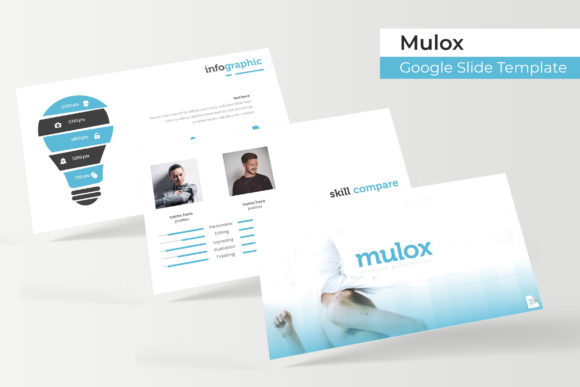
Mulox Google Slide Template: A Complete Design System for Modern Presentations
Creating a presentation that looks polished, professional, and visually cohesive used to require either hiring a designer or spending hours wrestling with alignment guides and color palettes. The Mulox Google Slide Template changes that equation entirely. With over 150 carefully crafted slides organized across five premade color themes, this template system gives anyone the tools to build presentations that genuinely impress, whether you're pitching investors, teaching a workshop, or sharing quarterly results with your team.
What Makes This Template System Stand Out
Most presentation templates offer a handful of slides and call it a day. Mulox takes a fundamentally different approach. Each of the five color variations includes 30 unique slides, meaning you're not just getting a single look you can tweak. You're getting five distinct visual identities, each with enough slide variety to handle complex presentations without repeating layouts.
The five premade color schemes work across different contexts. Some lean corporate and clean. Others feel more energetic and bold. This range matters because a marketing pitch deck needs different energy than a financial report, and having those options built in saves significant time during the design phase.
Every infographic within the template was handcrafted rather than pulled from a generic icon library. This attention to detail shows in the final product. Charts, timelines, process flows, and data visualizations feel intentional and purposeful rather than afterthoughts tacked onto placeholder slides. For professionals who regularly present data, this distinction between custom-designed infographics and stock graphics makes a real difference in how audiences receive information.
Practical Features That Save Hours of Work
Picture placeholders in Mulox use a drag-and-drop system that actually works the way you'd expect. Instead of manually cropping and repositioning images to fit awkward frames, you simply drag your photo into the designated area, and it snaps into place. The resizable and editable graphics mean you can scale elements up or down without losing quality, which proves especially useful when adapting a widescreen presentation for different display formats.
The master slide architecture deserves particular attention. Because every slide builds from a master foundation, making global changes such as updating a logo, adjusting font sizes, or modifying color accents happens in one place rather than on each individual slide. This structure mirrors how professional design software handles templates, and it means your presentations stay consistent even as they grow in complexity.
Section break slides serve a practical purpose that many templates overlook. They give audiences natural breathing room between topics and help speakers transition smoothly from one section to the next. The gallery and portfolio slides offer dedicated layouts for showcasing visual work, making this template useful beyond traditional business presentations for creative professionals, photographers, and designers building client-facing decks.
Real-World Applications Across Industries
Small business owners frequently need to create pitch decks for funding applications, partnership proposals, or franchise opportunities. The Mulox template system provides enough structure to look professional while leaving room for brand personality. A coffee shop owner preparing a deck for potential investors can use the portfolio slides to showcase their space, the infographic slides to present financial projections, and the section breaks to organize their narrative clearly.
Marketing teams benefit from the template's flexibility when building campaign presentations. Social media strategy decks, content calendars, and performance reports all require different visual treatments, and having 150 slides across five color themes means you can maintain visual variety without sacrificing brand consistency. The pixel-perfect illustrations ensure that even detailed charts render cleanly on projectors and screens of varying quality.
Educators and workshop facilitators appreciate templates that don't require design expertise to customize. The drag-and-drop functionality and intuitive master slide system mean you can focus on content rather than formatting. Swapping between color themes takes seconds, which helps when adapting the same core presentation for different audiences or contexts.
Getting Started and Making It Your Own
The package includes five PPTX files in widescreen format, each corresponding to one of the premade colors. Opening the readme file first is worth the two minutes it takes, as it outlines the font used throughout the template and provides a free download link. Typography consistency matters more than most people realize, and using the intended font ensures your slides match the polished look of the preview images.
One practical note worth mentioning: the photographs and pictures shown in template previews are for illustration purposes only and aren't included in the download. This is standard practice for presentation templates, and it actually works in your favor. Using your own images, your team photos, your product shots, and your brand photography makes the presentation authentically yours rather than a generic template with stock imagery.
When customizing, start with the master slides. Set your brand colors, upload your logo, and establish your typography before working on individual slides. This foundation work pays dividends as you build out your presentation because every new slide you add will already carry your visual identity. The editable graphics mean you can adjust sizes, colors, and positions of individual elements without breaking the overall design system.
For anyone who regularly creates presentations for clients, internal teams, or public speaking, having a reliable template library eliminates the blank-page problem that slows down so many projects. Mulox provides enough variety and professional polish to handle virtually any presentation scenario while remaining accessible enough that you don't need advanced design skills to make it work for your specific needs.