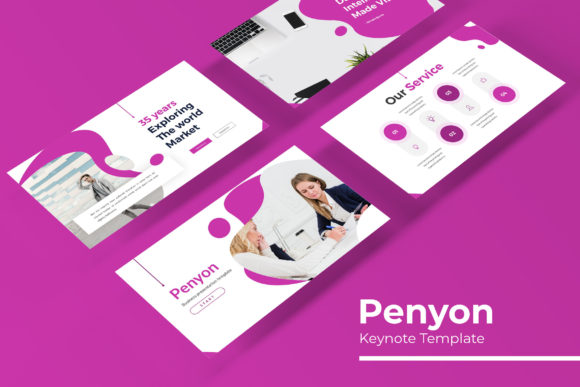
Penyon Keynote Template: A Versatile Toolkit for Polished Presentations
You've spent hours perfecting your pitch, gathering data, and structuring your narrative. The content is solid, but when you open your presentation software, the default templates feel uninspired. They lack the professional polish that matches the quality of your ideas. This is where a thoughtfully designed asset like the Penyon Keynote Template shifts from being a nice-to-have to a genuine productivity booster. It's not about flashy animations; it's about providing a coherent, adaptable visual framework that lets your content shine without you wrestling with alignment and color theory.
Beyond the Single Slide: A Complete Visual System
What truly sets a premium presentation template apart is its depth. The Penyon Keynote Template offers a substantial library of over 150 total slides. This isn't just a collection of random layouts; it's a structured system. With five premade color palettes, each containing 30 meticulously crafted slides, you have immediate visual variety. One color scheme might suit a corporate financial report, while another feels perfect for a creative agency's portfolio. This multiplicity ensures you're not stuck with a one-size-fits-all look, allowing for brand-specific customization right out of the box.
The design philosophy centers on clarity and utility. You'll find handcrafted infographics designed to transform complex data into digestible visuals—think process flows, comparison charts, and timeline graphics that are both informative and elegant. Dedicated section break slides create natural pauses in your narrative, guiding your audience's attention. For those showcasing work, the gallery and portfolio slides provide a clean, grid-based layout that puts your images front and center, making them ideal for designers, photographers, or product-based businesses.
Practical Features for a Frictionless Workflow
A beautiful template is useless if it's cumbersome to edit. Here, the focus on practicality is evident. Every graphic element is fully resizable and editable, meaning you can adjust shapes, colors, and sizes without breaking the design. The use of picture placeholders with a simple drag-and-drop function is a massive time-saver. Instead of manually cropping and positioning each image, you simply drop your photo into the designated area, and it automatically conforms to the intended shape and size.
Underpinning this ease of use is the foundation of master slides. By building the template on this principle, global changes—like altering the primary accent color or updating a font style—can be applied across the entire presentation with a few clicks. This ensures pixel-perfect consistency on every single slide, eliminating the tedious task of checking each one manually. The included readme file and links to free fonts used in the design further streamline the setup process, so you can move from download to creation quickly.
Strategic Applications for Brands and Creators
The utility of a robust template like Penyon extends far beyond a standard business meeting. For entrepreneurs and small business owners, it becomes a cornerstone of brand identity. Use the consistent slides to create investor decks, internal training materials, and client proposals that all share a unified visual language. This repetition builds brand recognition and conveys professionalism.
Content creators and marketers can leverage it to develop social media graphics series, webinar visuals, or course modules. The structured layouts help maintain visual consistency across platforms, which is crucial for audience engagement. For those in creative fields, the portfolio slides are invaluable for presenting design work, architectural plans, or art collections in a clean, distraction-free environment. Even for personal use, such as creating a wedding slideshow, a family photo book, or a community event proposal, the template provides a polished starting point that elevates the final product.
Maximizing Your Investment: Tips for Effective Use
To get the most out of a comprehensive template, approach it with a strategy. First, choose your color palette based on the emotion and context of your presentation. A deep blue might convey trust and stability for a finance talk, while a vibrant orange could energize a marketing brainstorm. Next, resist the urge to use every slide. Curate the layouts that best serve your specific content—sometimes a simple text slide is more powerful than a crowded infographic.
Pay close attention to typography. While the template includes font recommendations, ensure the typeface you choose aligns with your brand's voice. A clean sans-serif like the one suggested often works for modern, tech-forward brands, while a serif might add a touch of tradition. Always prioritize readability, especially for body text in dense slides. Finally, think of the template as a flexible toolkit, not a rigid cage. Feel free to adjust the master slides, combine elements from different color variants, and truly make it your own. The goal is to use the framework to support your message, not to let the template dictate it entirely.
In a landscape where first impressions are often digital, having a reliable set of design assets is key. The Penyon Keynote Template offers a blend of aesthetic appeal and functional depth, providing a serious toolkit for anyone who needs to communicate ideas visually and effectively. It’s a practical solution that acknowledges the real-world constraints of time and design expertise, helping you produce presentations that are both beautiful and built to perform.