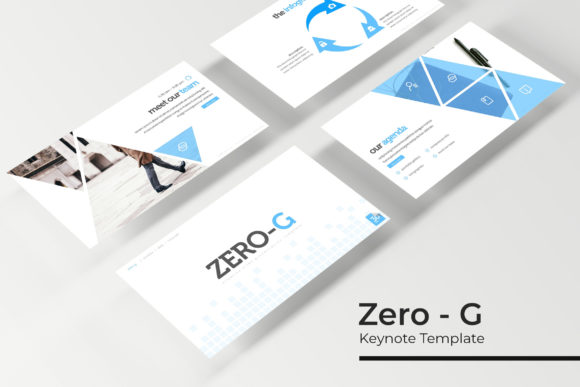
Zero - G Keynote Template: A Deep Dive into Its 150+ Slides
Staring at a blank presentation canvas can be paralyzing. You have a brilliant idea, a business to pitch, or a portfolio to share, but the thought of designing 30 consistent, professional slides from scratch feels like a monumental task. This is where a well-built template becomes more than a convenience—it becomes a launchpad for your ideas. The Zero - G Keynote Template promises to be that launchpad, offering a substantial library of over 150 slides across five distinct color themes. But what does that actually mean for your workflow and your final product? Let's unpack what's inside and how you can put it to work.
Beyond the Slide Count: What Makes a Template Truly Useful?
It’s easy to get impressed by a high number like "150+ Total Slides." However, the real value lies in the curation and functionality of those slides. The Zero - G template breaks this down into 30 meticulously crafted slides for each of its five premade color palettes. This isn't just a recolor job; each variation is designed to feel like a complete, cohesive set. The color schemes move beyond basic primary colors, offering sophisticated palettes that can align with a tech startup's sleekness, a creative agency's vibrancy, or a consultancy's trusted professionalism.
The core of the template's practicality is its foundation on Master Slides. This is the engine room. When you edit a master slide, every slide built from it updates automatically. This ensures your visual consistency is baked in from the start, a critical factor for building brand recognition. You’re not just changing a color on slide five and then forgetting it for slide twenty-five; you’re setting a system. This system is what allows for the pixel-perfect illustrations and handcrafted infographics to remain sharp and aligned, whether you're presenting on a massive screen or sharing a PDF.
Putting the Slides to Work: From Boardroom to Blog
So, you have this toolkit. How do you adapt it for your specific project? The included slide types offer a roadmap. The Section Break Slides are your narrative punctuation marks, giving your audience a visual breather and signaling a shift in topic. The Gallery and Portfolio slides are a dream for designers, photographers, or any business showcasing work. The Picture Placeholder feature is a standout—it’s a simple drag-and-drop interface that lets you insert your own images without fussing with cropping or alignment. Your client's product photo or your team headshot fits perfectly every time.
Consider the applications:
- For Branding & Marketing: Use the cohesive slide deck to present a full brand identity system, from logo rationale to social media mockups. The consistent typography and color palette make the presentation itself an extension of the brand.
- For Startups & Pitches: Structure your pitch narrative with clear section breaks. Use the infographic slides to distill complex market data or financial projections into digestible visuals.
- For Educators & Bloggers: Transform a blog post series or workshop content into a visually engaging slide deck for webinars or online courses. The widescreen format is optimized for digital viewing.
- For Creative Portfolios: Let your work shine on clean, minimalist gallery slides that don't compete with your designs. The picture placeholders make updating your portfolio a quarterly task, not a monthly headache.
The template’s strength is its resizable and editable graphics. An infographic chart can be stretched to fill a slide or condensed to fit beside text. Icons and shapes can be recolored to match your exact brand hex codes. This flexibility means the template adapts to your content, not the other way around.
Maximizing Your Investment: Practical Tips and Considerations
To get the most out of a resource like the Zero - G Keynote Template, a bit of strategic planning goes a long way. First, choose your color variation upfront. Look at your brand guidelines or the mood of your project. Is it serious and authoritative? Innovative and friendly? Select the palette that best matches that emotional tone before you start building content.
Next, think about font pairing even though the template uses a specified free font. While the included font is chosen for its readability and style, you might have a secondary brand font for callouts or quotes. Test how they look together within the template's existing hierarchy. The goal is readability above all—a beautiful font is useless if your audience can't decipher it from the back of the room.
Finally, mind the details. The package includes a Readme First file—actually read it. It will contain the crucial information about the free font download link and any specific instructions for installation or editing. And remember the note about photographs: the preview images are for illustration. You will need to supply your own high-quality, relevant photos to make the presentation uniquely yours. The template provides the professional stage; you bring the star performers.
In the end, a tool like the Zero - G Keynote Template is about saving time on mechanics so you can invest more time in message and story. It provides a polished, professional foundation that helps your ideas look as credible as they are, ensuring your audience focuses on what you're saying, not how it's being displayed.